
- Revit
- Formwork
- Revit Plugin
- Product Update
- Revit 2026
Formwork Plugin 2026: Custom Colors and Revit 2026 Support
What's new in BIMStudio Formwork v1.0.4: custom parameter names, custom formwork colors, and full Revit 2026 support. Version history and feature highlights.
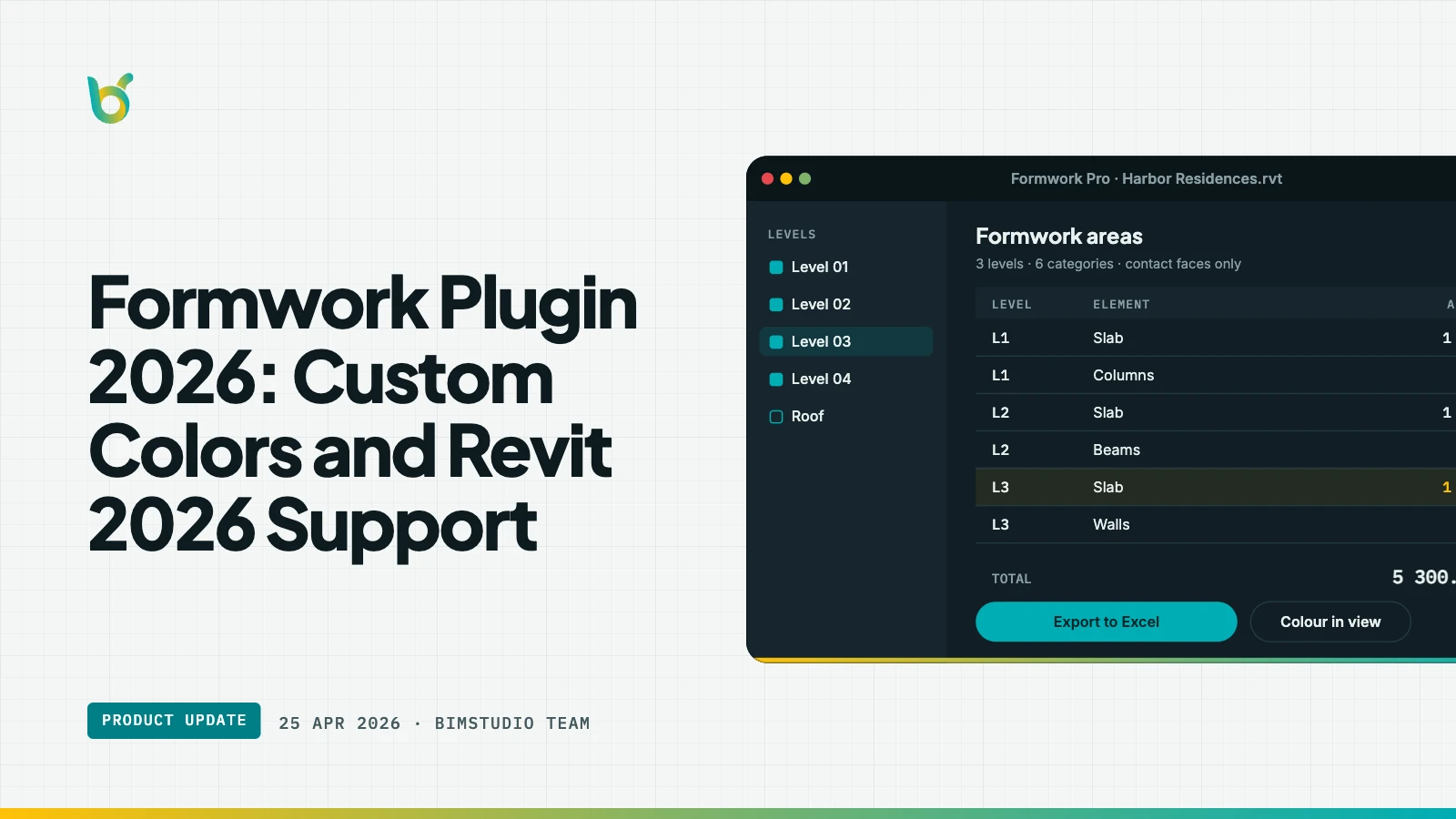
BIMStudio's Formwork plugin has been available on the Autodesk App Store since February 2022, providing Revit users with automated formwork area calculation for structural concrete elements. Version 1.0.4, released in January 2026, brings two highly requested features — custom parameter names and custom formwork colors — along with certified support for Revit 2026.
This article covers the current feature set, version history, and what these updates mean for teams using the plugin in production.
What the Formwork plugin does
Before covering the updates, a quick overview for readers new to the plugin.
The Formwork plugin calculates the formwork contact area for structural concrete elements in Revit — beams, columns, slabs, and walls. Unlike Revit's built-in surface area parameter, the plugin correctly identifies and excludes embedded faces (where one element intersects another) and writes the net formwork area back to each element as a Revit parameter.
This makes formwork quantities schedulable, exportable, and model-bound — no external spreadsheets required.
What's new in version 1.0.4 (January 2026)
Custom parameter name
Previous versions wrote formwork area to a fixed shared parameter. Version 1.0.4 lets you specify the parameter name in the plugin dialog before running a calculation.
This matters for real projects:
- Office standards — many firms have a shared parameter template that all projects use. The custom name option means the formwork area value lands in exactly the right parameter in your firm's template, not a separate one that must be mapped later.
- Multi-discipline coordination — if your cost estimation team expects formwork area in a parameter named
QS_FormworkSurface, you can configure the plugin to use that name directly. - Avoiding parameter conflicts — projects sometimes accumulate multiple "area" parameters over time. Custom naming prevents the plugin from creating a duplicate or ambiguous field.
Custom formwork color
The Formwork plugin renders a visual overlay on structural elements to show which faces were identified as formwork surfaces. In version 1.0.4, you can choose the color of this overlay in the plugin settings.
This feature addresses a common complaint: the default formwork visualization color conflicts with other color overrides applied to the model (such as color-by-parameter views from BIMStudio's Color by Parameter plugin). Custom color lets you pick a visualization shade that is distinct from your existing view templates.
Revit 2026 support
Version 1.0.4 is certified for Autodesk Revit 2026. The plugin now supports the full Revit version range from 2021 through 2026:
| Revit Version | Supported |
|---|---|
| Revit 2021 | Yes |
| Revit 2022 | Yes |
| Revit 2023 | Yes |
| Revit 2024 | Yes |
| Revit 2025 | Yes |
| Revit 2026 | Yes (new in v1.0.4) |
Version history
| Version | Release Date | Key Changes |
|---|---|---|
| 1.0.1 | 2022-02-12 | Initial release — formwork area calculation for beams, columns, slabs, walls |
| 1.0.2 | 2023 | Improved embedded face detection algorithm |
| 1.0.3 | 2024 | Performance improvements for large models; linked model enhancements |
| 1.0.4 | 2026-01-23 | Custom parameter name; custom formwork color; Revit 2026 support |
Core features (all versions)
For context, here are the foundational capabilities that have been part of the plugin since its initial release:
Formwork area calculation
The plugin computes the net formwork contact area for each element in the selected categories. The calculation uses Revit's solid geometry API to identify exposed faces and subtract embedded regions where elements intersect.
Visual formwork rendering
Processed elements display a color overlay on the faces identified as formwork surfaces. This visualization helps quality-check the calculation — you can immediately see if a face was incorrectly included or excluded and investigate the model geometry.
Face selection control
The plugin dialog lets you configure which face types to include in the calculation. For non-standard structural elements, this gives you control over what counts as a formwork surface.
Batch processing
The plugin processes all elements in the selected categories in a single operation. No manual element selection required.
Properties panel integration
Calculated formwork area appears in the Revit Properties panel under Identity Data when you click any processed element. This gives you an instant readout for individual elements without opening a schedule.
Linked model support
The plugin processes Revit linked models alongside the active model, enabling formwork QTO in federated BIM workflows without merging files.
How v1.0.4 changes the production workflow
Scenario: firm-wide shared parameter template
A structural engineering firm uses a shared parameter file with over 200 parameters, maintained centrally and applied to all projects. With v1.0.3, the plugin added a parameter called FormworkArea — which conflicted with an existing parameter of the same name used for a different purpose.
With v1.0.4, the firm's BIM manager configures the plugin to write to BST_FormworkContactArea — the name that matches their shared parameter template — and the conflict disappears. New projects set up from the template automatically have the correct parameter target.
Scenario: coordination model with color overrides
A project team uses color-by-parameter views extensively, with orange indicating elements that need rework and blue indicating approved elements. The formwork visualization used the same orange shade, creating confusion in review meetings.
With v1.0.4, the team switches the formwork visualization color to teal, which is visually distinct from all other color overrides in their view templates.
User feedback
The plugin currently holds a 5/5 star rating on the Autodesk App Store, with reviewer Adam Lewis noting: "Good. Thanks! Very convenient tool."
The rating reflects the core value that has made the plugin useful since its initial release: it automates a calculation that no other native Revit tool handles correctly.
Keep reading
- How to Calculate Formwork Area in Revit | BIMStudio
- 5 Common Formwork Estimation Mistakes in Revit and How to Fix Them
- Automating Formwork Quantity Takeoff in Revit: A Complete Guide
Get started
BIMStudio Formwork v1.0.4 is available now on the Autodesk App Store at $10/month or $100/year.
Get Formwork on the Autodesk App Store
For questions about the update or to report any issues, contact the BIMStudio team at [email protected] or visit bimstudio.com.vn.